A step-by-step PDF guide that tells you exactly what gear to buy, which editing software to use, how to edit like a pro, and how to get the video seen.
Launch price $19 $27 until 30 November 2026 · Instant PDF download · 14-day money-back guarantee
Every video recommends a different $1,500 camera.
You open the editor, see 40 buttons and close it again.
Good videos still need a niche, a title, a thumbnail and timing.
Clear tables, diagrams and checklists. No fluff, no 40-minute videos to sit through.
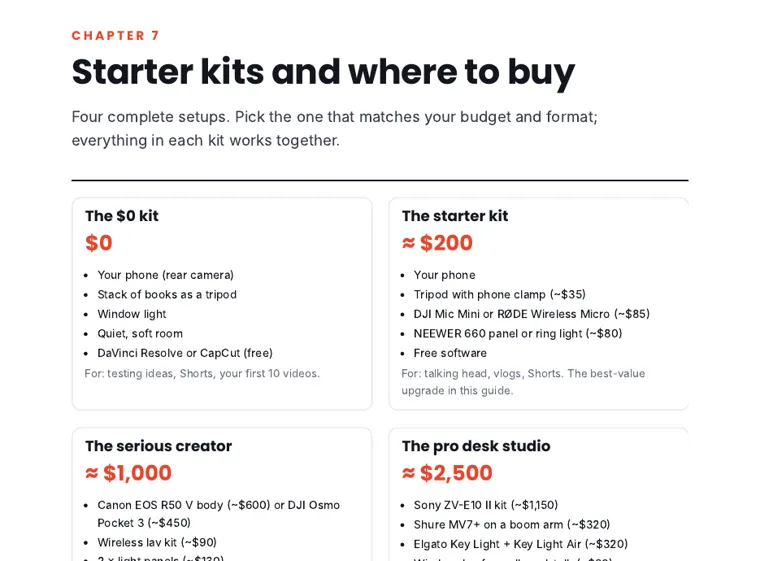
Four ready-made gear kits ($0, $200, $1,000, $2,500) matched to the videos you want to make.
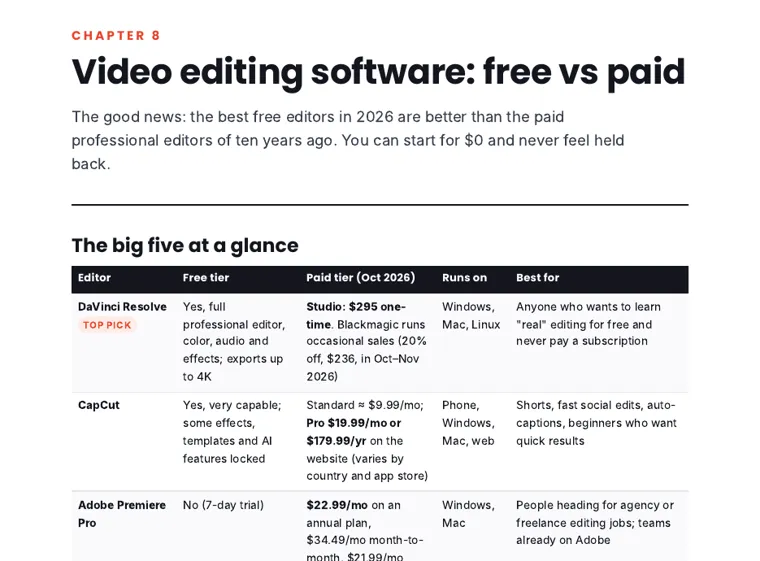
DaVinci Resolve, CapCut, Premiere Pro, Final Cut and iMovie compared, free and paid tiers.
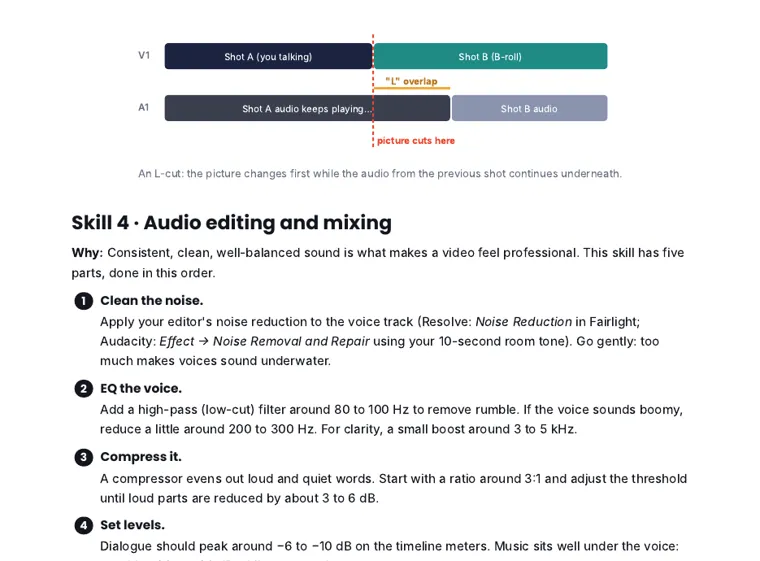
Pacing, B-roll, J and L cuts, audio, color, captions, motion and exports, step by step.
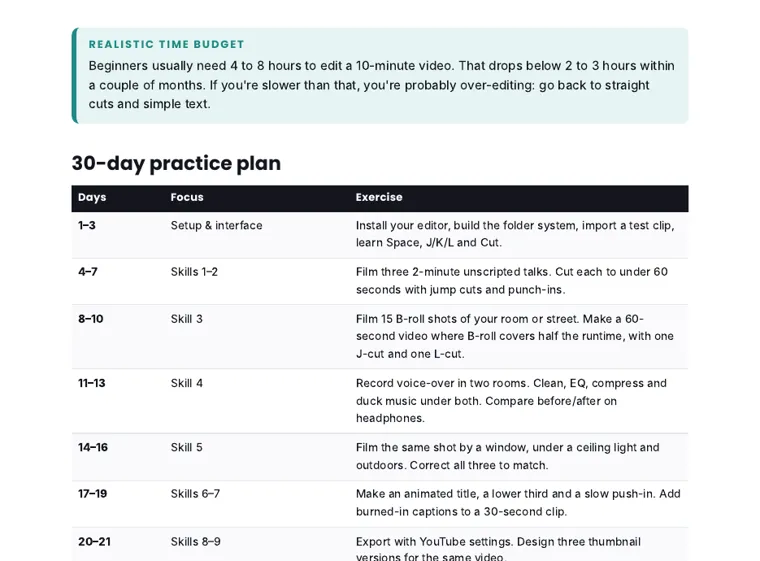
Half an hour a day, one skill at a time, ending with your first published video.
Gear starter kits, free vs paid software, camera/audio/export settings, and the upload checklist. Real pages, so you can judge the quality first.
Downloads appear right here. We'll occasionally email YouTube tips; unsubscribe any time.
A 53-page PDF (US Letter). After paying through our secure checkout (Whop), you get instant access to the download, plus a receipt by email. It reads well on a phone, tablet or computer, and prints cleanly.
No. The guide shows a complete $0 setup using your phone and free software, then explains when an upgrade is actually worth it.
The skills work in any editor. Steps and shortcuts are given for DaVinci Resolve, Premiere Pro, Final Cut Pro and CapCut.
Yes: vertical editing, captions, hooks, ideal length and how to cut Shorts from your long videos.
Prices and platform rules were checked in October 2026, including YouTube's Partner Program change on 1 February 2027.
Message us through the support chat on your Whop purchase within 14 days and you'll get a full refund.
53 pages · instant download · $19 launch price until 30 November
Get the guide · $19 →